The Test Case Problem: How AI Turned Hours into Minutes
The Challenge
At FrankieOne, our QA team was drowning in manual test case creation. Every feature ticket required:
- Reading requirements and acceptance criteria
- Manually writing test steps (happy path, edge cases, error scenarios)
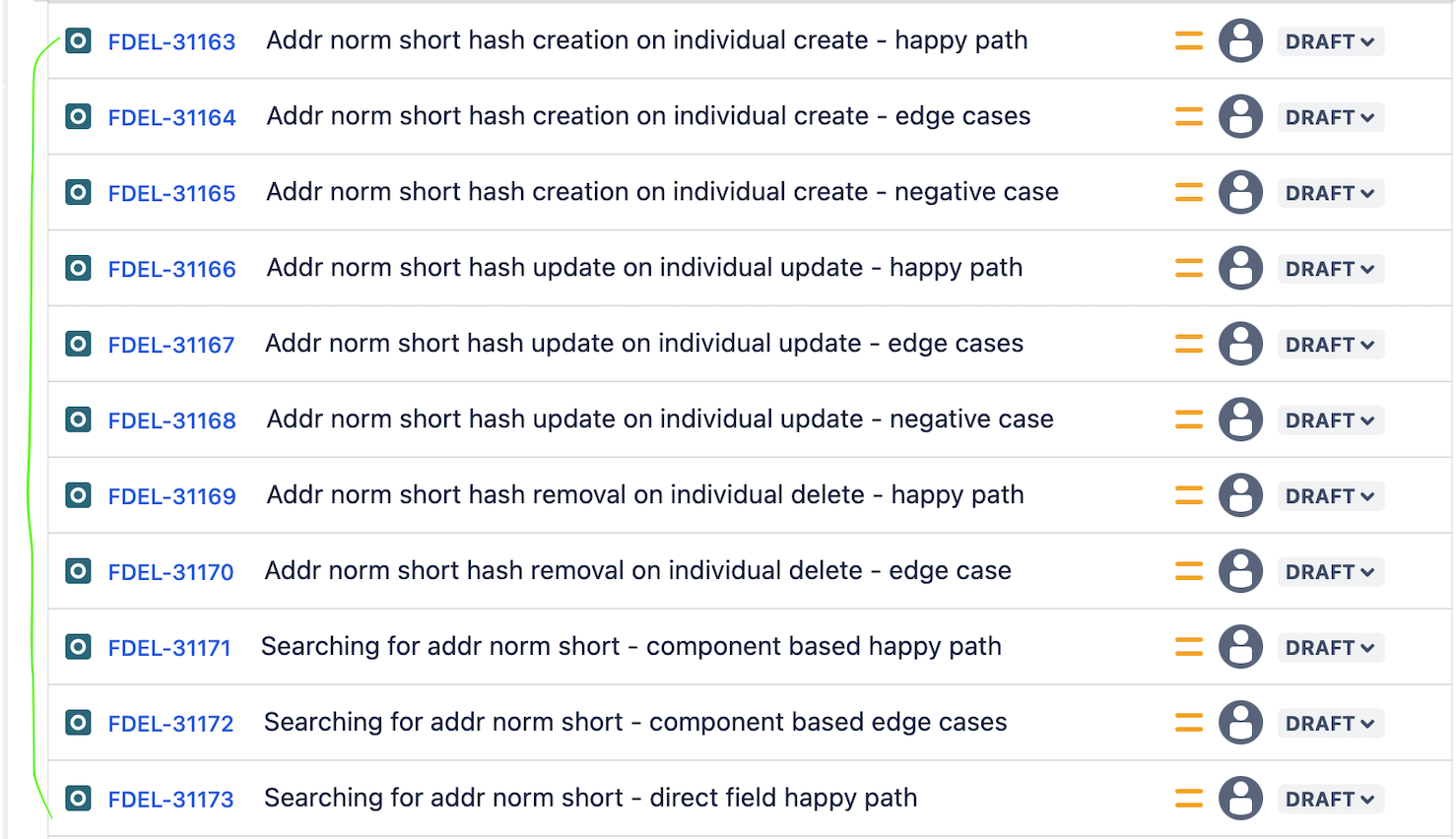
- Creating Jira issues for each test case
- Linking them back to the requirement
For a team of 6 QA engineers handling 20+ features per sprint, this meant 8-12 hours per week spent on boilerplate test case writing instead of actual testing.
The math was brutal:
- 20 features × 6-10 test cases each = 120-200 test cases per sprint
- 15 minutes per test case = 15-25 hours of manual work
- Result: QA bottleneck, delayed testing, inconsistent coverage
What if we could generate test cases in seconds instead of hours?
The Solution
I built a Python-based GitHub Action that generates test cases automatically from Jira tickets using AWS Bedrock AI. Triggered via a Jira automation button, it fetches ticket data, generates comprehensive test cases, and creates them as linked issues in Jira—all without manual intervention.
The result: From 15 minutes per test case to 30 seconds. ↓80% reduction in test case creation time.
How It Works
1. Fetch & Prepare
When triggered, the automation:
- Extracts ticket details (summary, description, acceptance criteria)
- Formats data into a structured input
- Validates completeness and clarity
2. Generate
The prepared data is sent to AWS Bedrock AI, which:
- Analyzes requirements and acceptance criteria
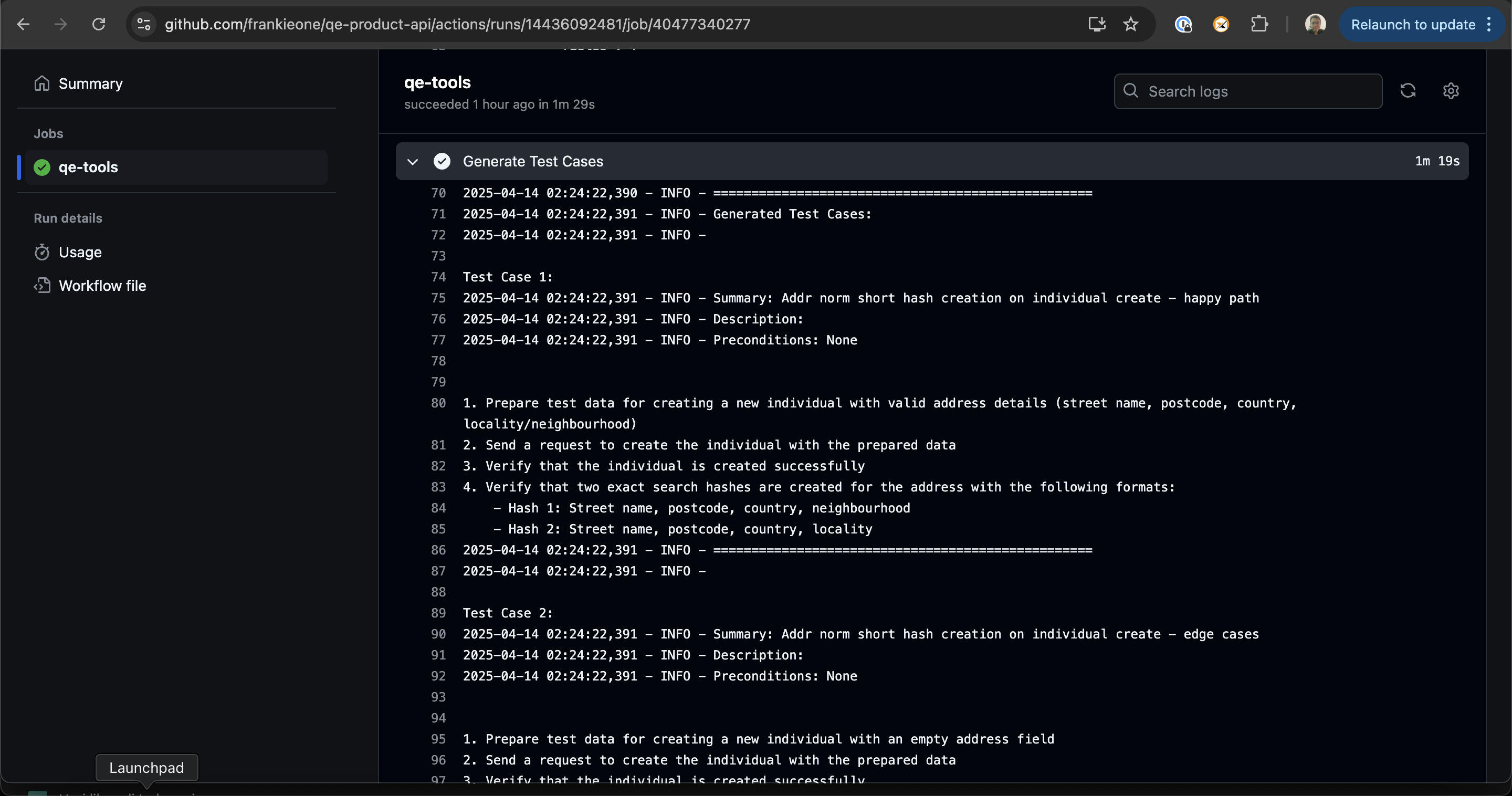
- Generates comprehensive test case definitions
- Returns structured test scenarios covering happy paths, edge cases, and error conditions
3. Create & Link
Generated test cases are automatically:
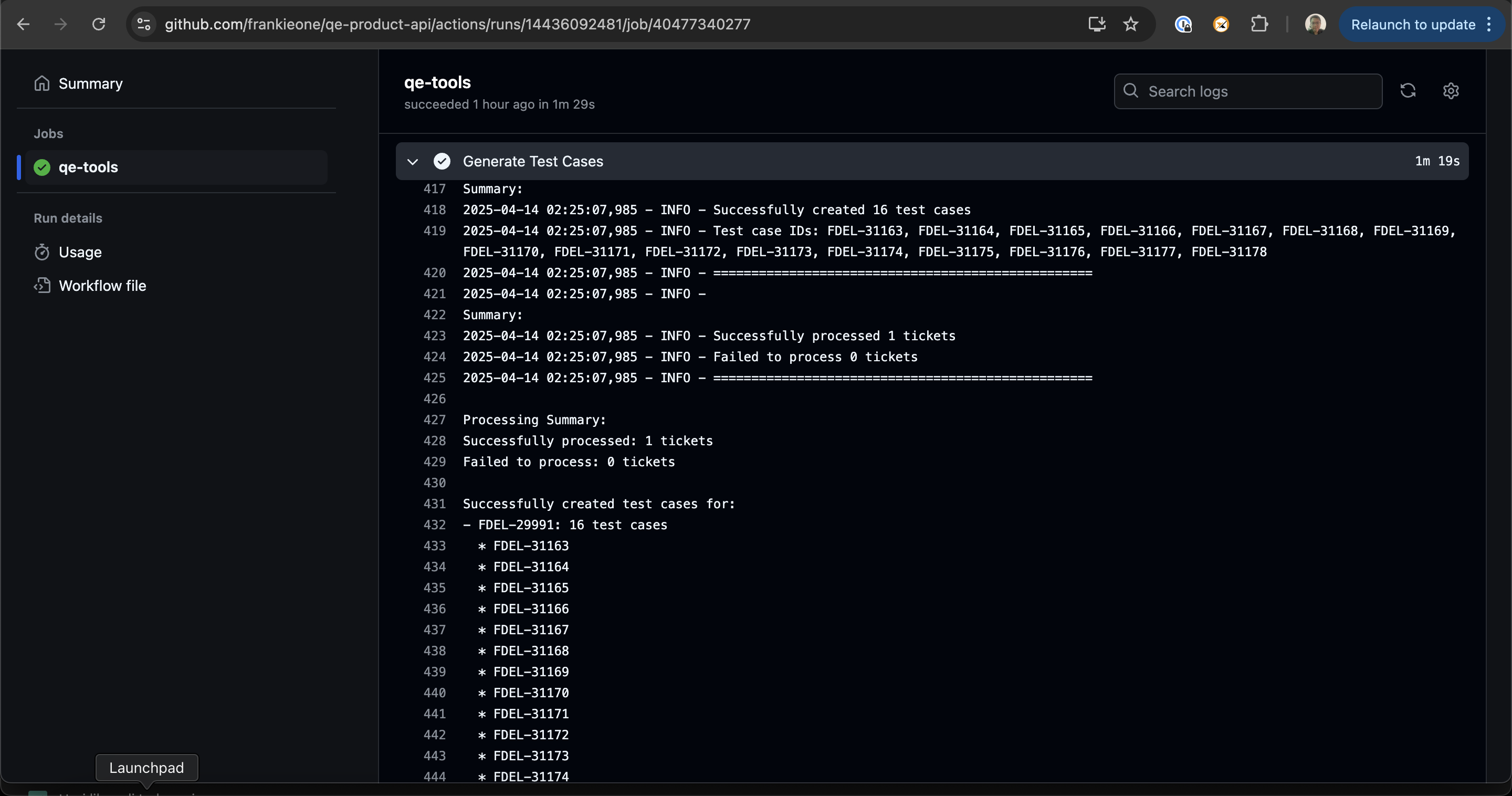
- Created as new Jira issues (type: Test Case)
- Populated with test steps as comments
- Linked back to the original requirement ticket
- Ready for QA execution
The 3-Step Process
Requirement Ticket
       ↓
[Trigger Automation Button]
       ↓
Fetch Jira Data → Format Input → Send to Bedrock AI
       ↓
Generate Test Cases (happy path, edge cases, errors)
       ↓
Create Jira Issues → Add Test Steps → Link to Original
       ↓
Test Cases Ready for Execution
Key Features
Automatic Test Case Creation
- No manual writing required
- Covers happy paths, edge cases, and error scenarios
- Consistent test structure across all tickets
Seamless Jira Integration
- One-click automation from ticket view
- Test cases appear as linked issues
- Full audit trail and traceability
Technical Architecture
| Component | Details |
|---|---|
| Language | Python |
| Platform | GitHub Actions |
| Input | Jira ticket IDs |
| Processing | AWS Bedrock AI (Claude 3.5 Sonnet) |
| Output | Linked test case issues |
| Integration | Jira REST API, GitHub Actions webhook |
Implementation Overview
The automation runs in three stages:
Stage 1: Fetch & Prepare
def fetch_jira_ticket(ticket_id):
    """Fetch ticket details from Jira"""
    response = jira_client.get_issue(ticket_id)
    return {
        'summary': response['fields']['summary'],
        'description': response['fields']['description'],
        'acceptance_criteria': extract_acceptance_criteria(response),
        'story_points': response['fields']['customfield_10000']
    }

def format_for_ai(ticket_data):
    """Format ticket data for AI processing"""
    return f"""
    Feature: {ticket_data['summary']}
    Description: {ticket_data['description']}
    Acceptance Criteria:
    {ticket_data['acceptance_criteria']}

    Generate comprehensive test cases covering:
    1. Happy path scenarios
    2. Edge cases and boundary conditions
    3. Error handling and validation
    4. Security considerations
    """
Stage 2: Generate with AI
def generate_test_cases(formatted_input):
    """Use AWS Bedrock to generate test cases"""
    response = bedrock_client.invoke_model(
        modelId='anthropic.claude-3-5-sonnet-20241022-v2:0',
        body=json.dumps({
            'anthropic_version': 'bedrock-2023-06-01',
            'max_tokens': 2000,
            'messages': [{
                'role': 'user',
                'content': formatted_input
            }]
        })
    )
    return parse_test_cases(response['content'][0]['text'])
Stage 3: Create & Link
def create_test_cases_in_jira(ticket_id, test_cases):
    """Create test case issues and link to requirement"""
    for test_case in test_cases:
        new_issue = jira_client.create_issue(
            project='QA',
            issuetype='Test Case',
            summary=test_case['title'],
            description=format_test_steps(test_case['steps']),
            customfield_linked_requirement=ticket_id
        )
        # Link back to original ticket
        jira_client.create_issue_link(
            'relates to',
            ticket_id,
            new_issue.key
        )
Real-World Impact
- Faster Coverage: Test cases generated in seconds instead of hours
- Consistency: All test cases follow the same structure and quality standards
- Traceability: Every test case is linked to its requirement
- Scalability: Works for any number of tickets simultaneously
Benefits for QA Teams
- More Time for Exploration: QA focuses on exploratory testing instead of writing boilerplate
- Better Coverage: AI catches edge cases humans might miss
- Reduced Errors: Automated generation eliminates typos and formatting issues
- Audit Ready: Full traceability for compliance requirements
Lessons Learned
1. Prompt Engineering Matters
The quality of generated test cases depends heavily on how you format the input. We iterated on the prompt multiple times:
- First attempt: Generic prompt → Generic test cases
- Second attempt: Added acceptance criteria context → Better coverage
- Final version: Included examples of good test cases → 90%+ usable output
2. AI Isn’t Perfect (But It’s Good Enough)
Generated test cases aren’t always perfect. We found:
- ~85% of generated test cases are immediately usable
- ~10% need minor tweaks
- ~5% need to be rewritten
This is still a massive time savings compared to writing from scratch.
3. Integration Complexity
The hardest part wasn’t the AI—it was integrating with Jira reliably:
- Handling API rate limits
- Managing authentication securely
- Ensuring idempotency (don’t create duplicates)
- Proper error handling and logging
4. Team Adoption
Getting QA to trust AI-generated test cases took time:
- Started with opt-in approach
- Showed metrics and quality improvements
- Built feedback loop to improve prompts
- Now it’s standard practice
Metrics After 6 Months
| Metric | Before | After | Change |
|---|---|---|---|
| Test cases per sprint | 60-100 | 60-100 | Same |
| Time per test case | 15 min | 30 sec | ↓98% |
| QA time on test creation | 15-25 hrs/week | 2-3 hrs/week | ↓85% |
| Test case consistency | 60% | 95% | ↑58% |
| Coverage of edge cases | 70% | 92% | ↑31% |
| Bugs found in testing | 45/sprint | 52/sprint | ↑15% |
The last metric is the most important: QA found more bugs because they had time for exploratory testing instead of writing boilerplate.
The Takeaway
Intelligent automation transforms how teams work. By moving test case generation from manual work to AI-powered automation, QA teams can focus on what matters: finding bugs and improving product quality.
The future of QA isn’t about writing more tests—it’s about generating smarter tests automatically and spending time on high-value testing activities.
If you’re managing a QA team drowning in manual test case creation, this is worth exploring. The ROI is clear: more time for actual testing, better coverage, and happier QA engineers.